
Open Table Instruction
If you are unfamiliar with the Open Table reservation system, this guide will walk you through the process of making a reservation for the New Pond Village Dining Room.
You may make reservations starting at 7AM by going to the Resident website (www.npvccrc.com) or to the Resident Portal on New Pond Village website.
First you will go to the New Pond Village website (www.npvccrc.com), and click on the Dining item in the left hand menu list and the Open Table item will appear. Click on that item and you will be taken to the first step in the reservation process, as shown below:
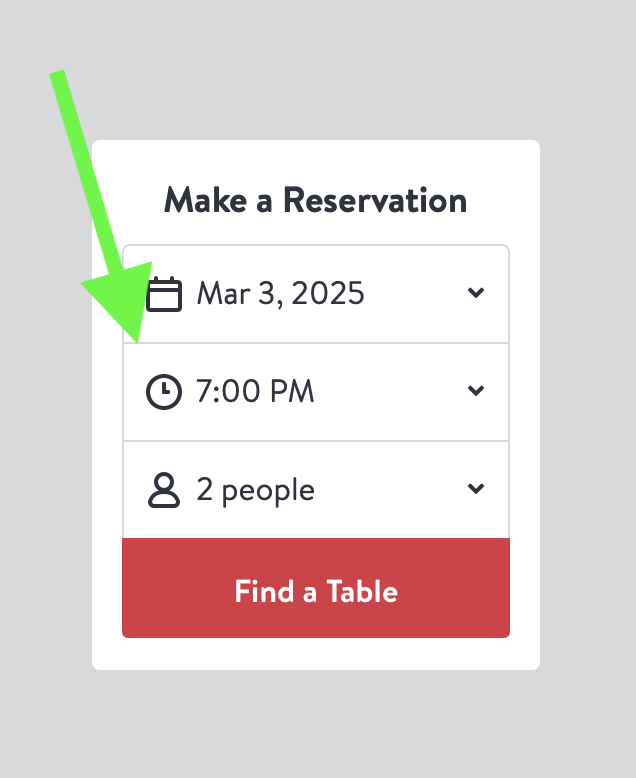 The date shown in the first line will be today. Start by clicking on the Time box you will see the following choices:
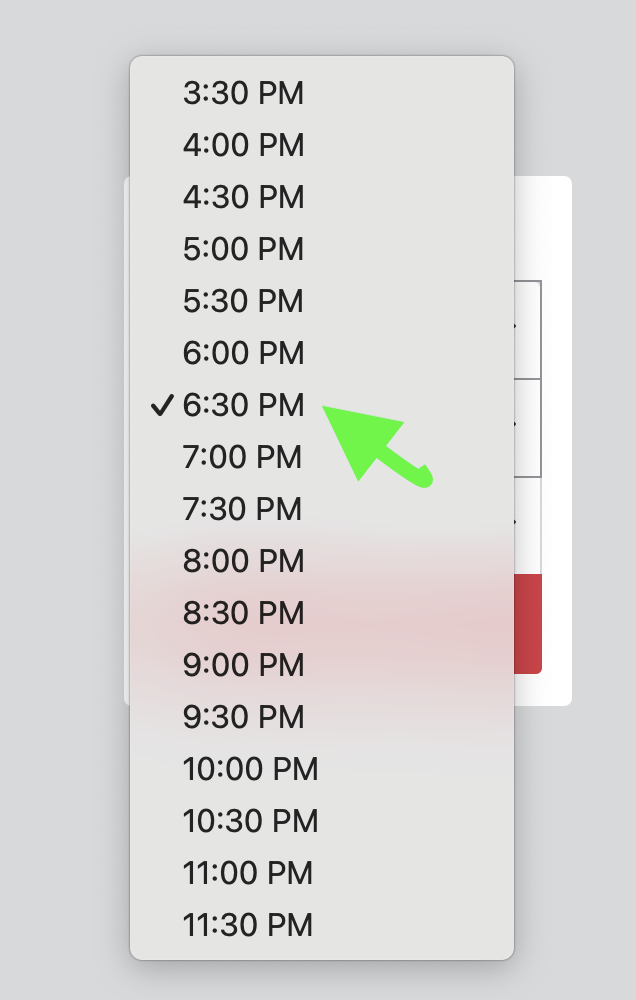
Keep in mind that the Dining Room is open for Dinner from 5:00 PM to 6:30 PM.
Next click on the half hour closest to when you wish to make a reservation.
Next click on the final box to choose the number of people in your party. The largest choice we can accommodate is 6 people. Select the number of people in your party and the box will close.
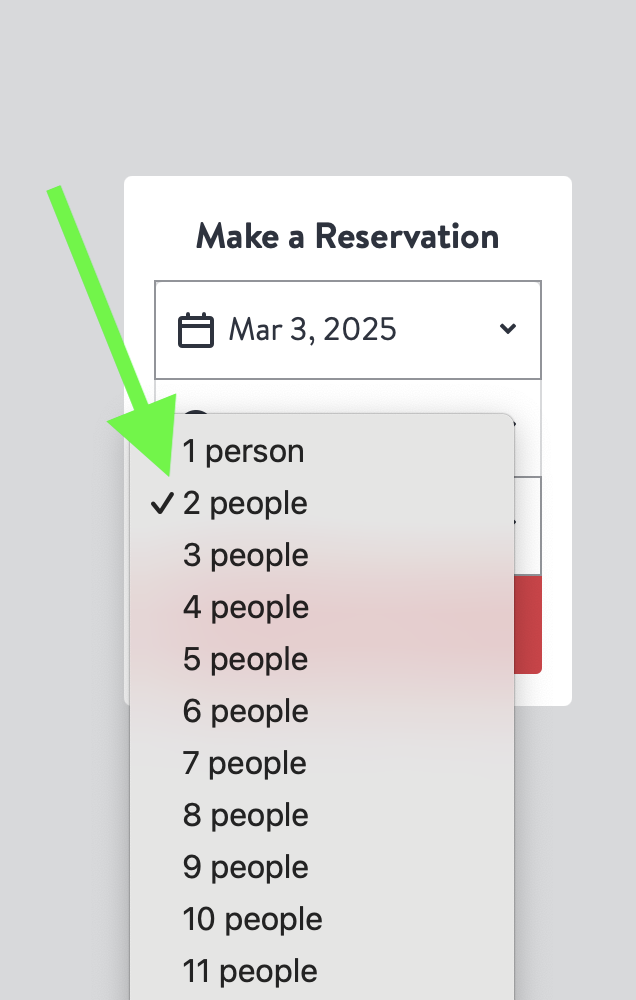
You will then be taken to the following screen which shows the choices you have made.
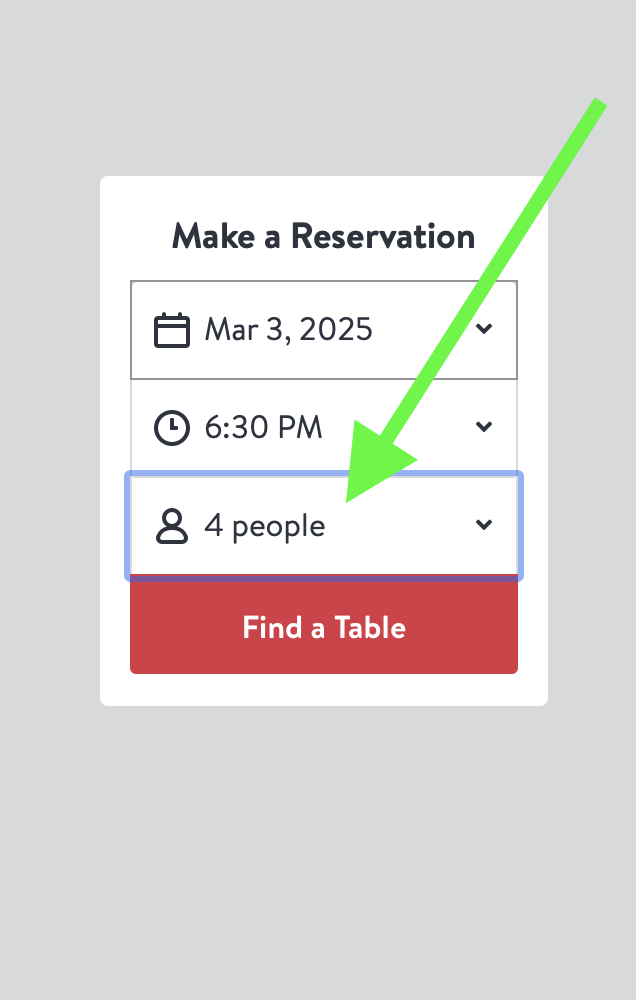
You have now set the parameters for your reservation. When you click on the red Find A Table button you will be shown a list of time slots that have available tables close to your choice.
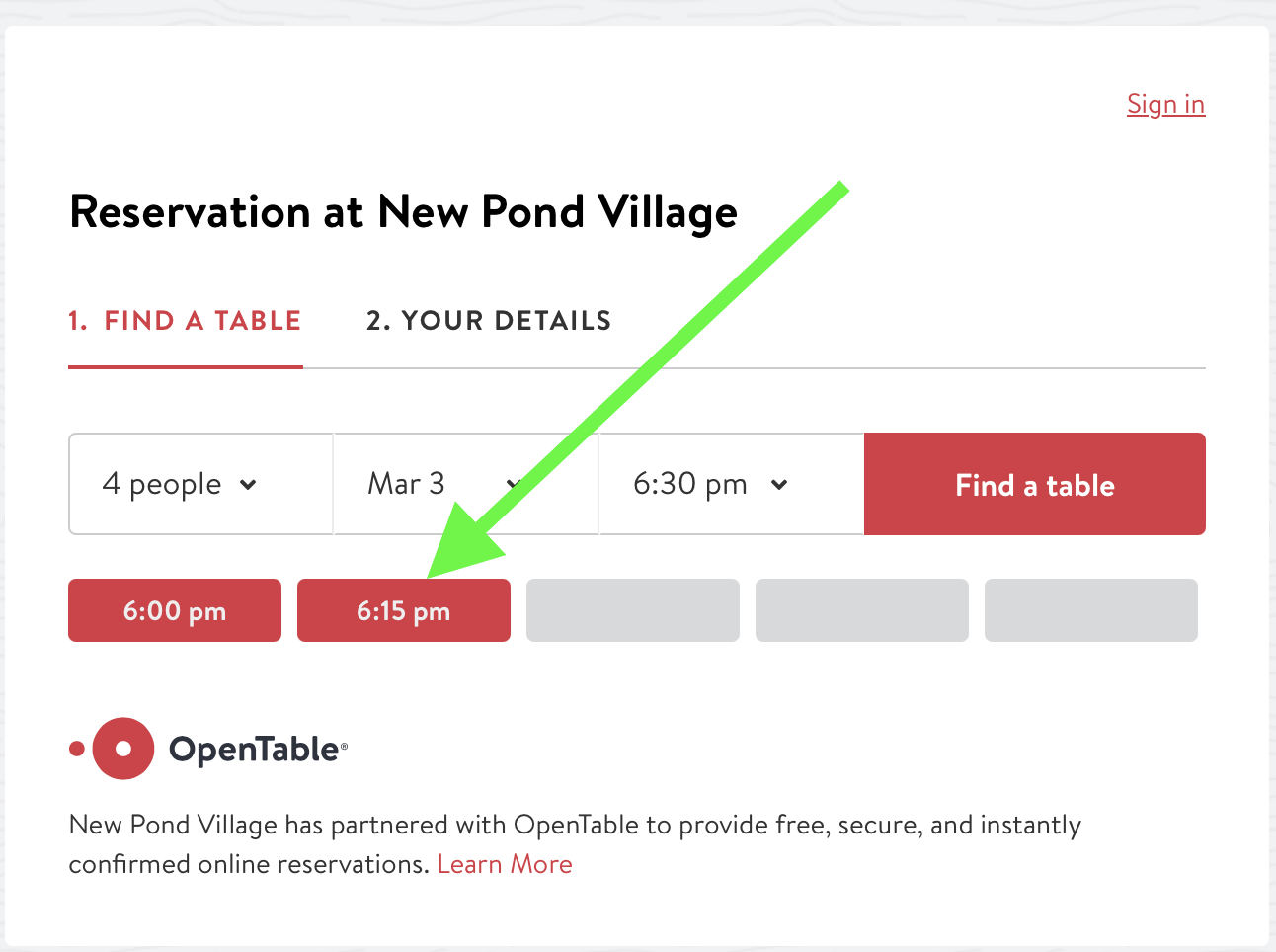
In this case, since the Dining Room closes at 6:30 you are offered choices of either 6:00 or 6:15 PM. Click on one to finalize your choice.
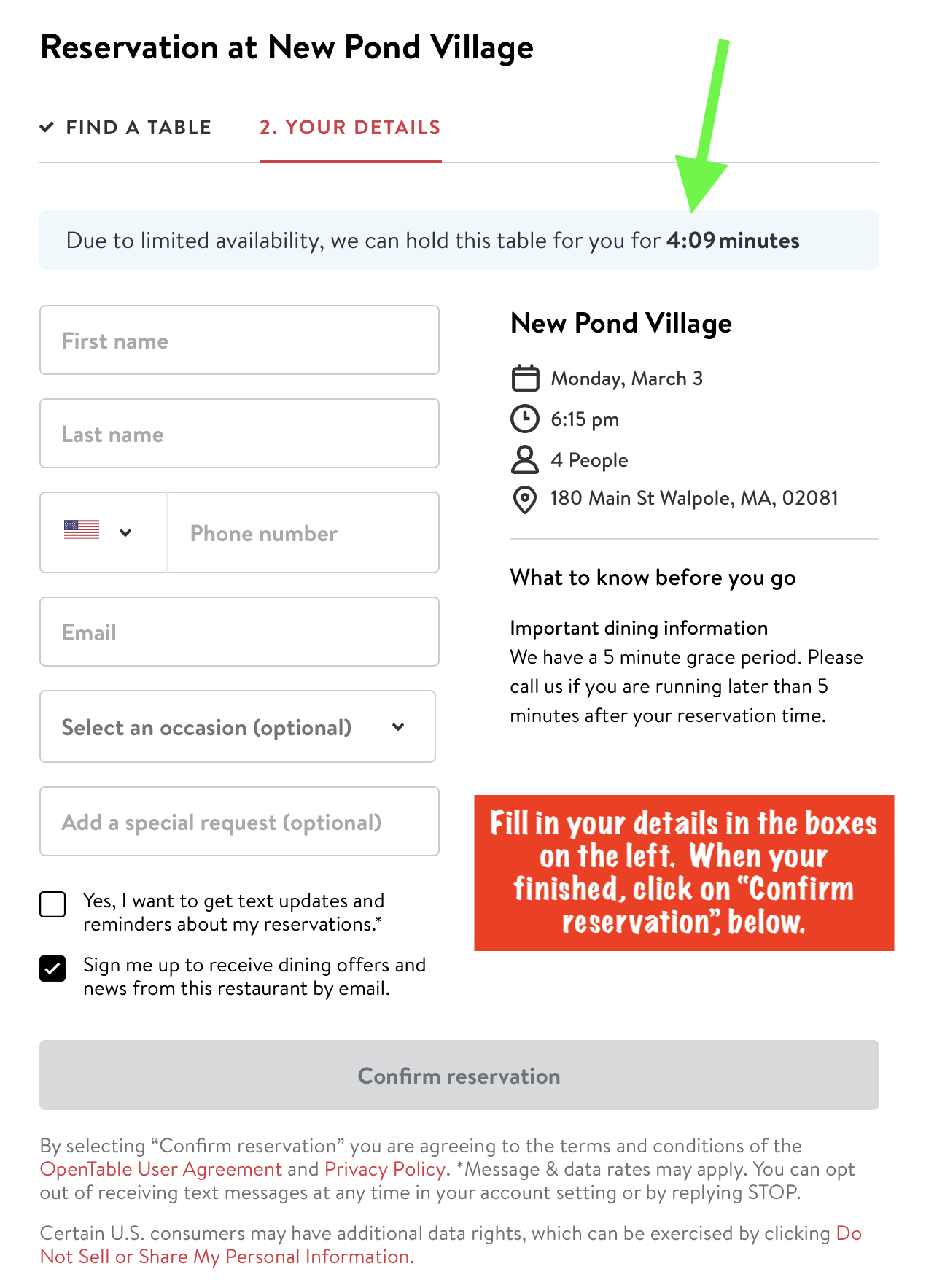
On this screen you will fill in your name, phone number and email address. Note the line the green arrow is pointing to. You have five minutes to complete this form or your reservation will be lost. The timer in the line will continue counting down, showing how much time you have remaining to complete your reservation. Once you have completed the form, the grey box at the bottom will turn to red, as shown below.
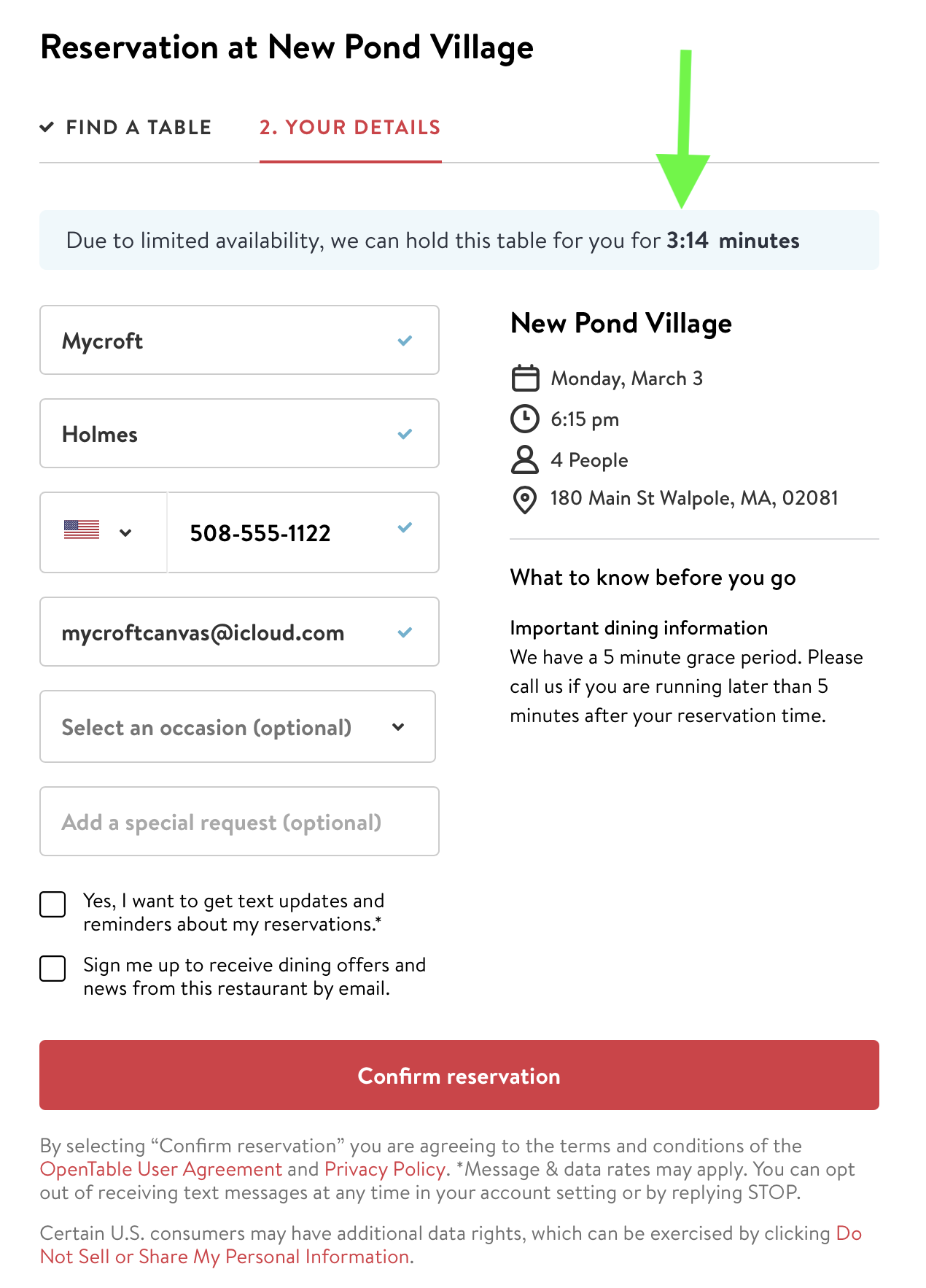
Note that the timer is still counting down. Verify that your information is correct and then click on the red Confirm button. You are almost finished.
In this next to last step, you are given the options Creating an Account, Signing In (if you already have an account) or Skipping this step and continuing to the final step. If you want to skip the process of filling in your name and contact information every time you make a reservation, you should create an account. This will speed up the process in the future.
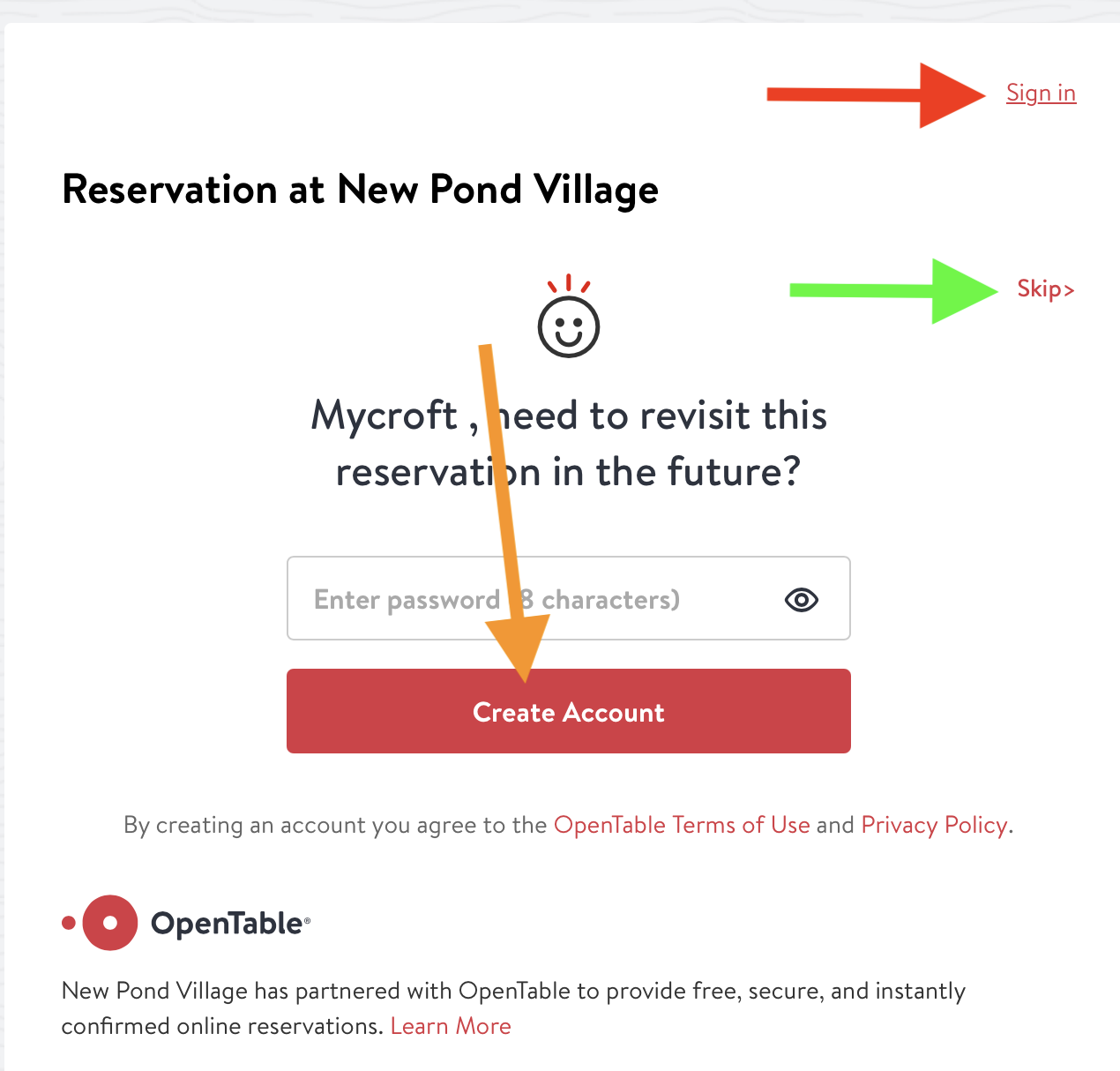
This final screen shows the details of your reservation and your Confirmation Number. You will also be sent an email with this information.
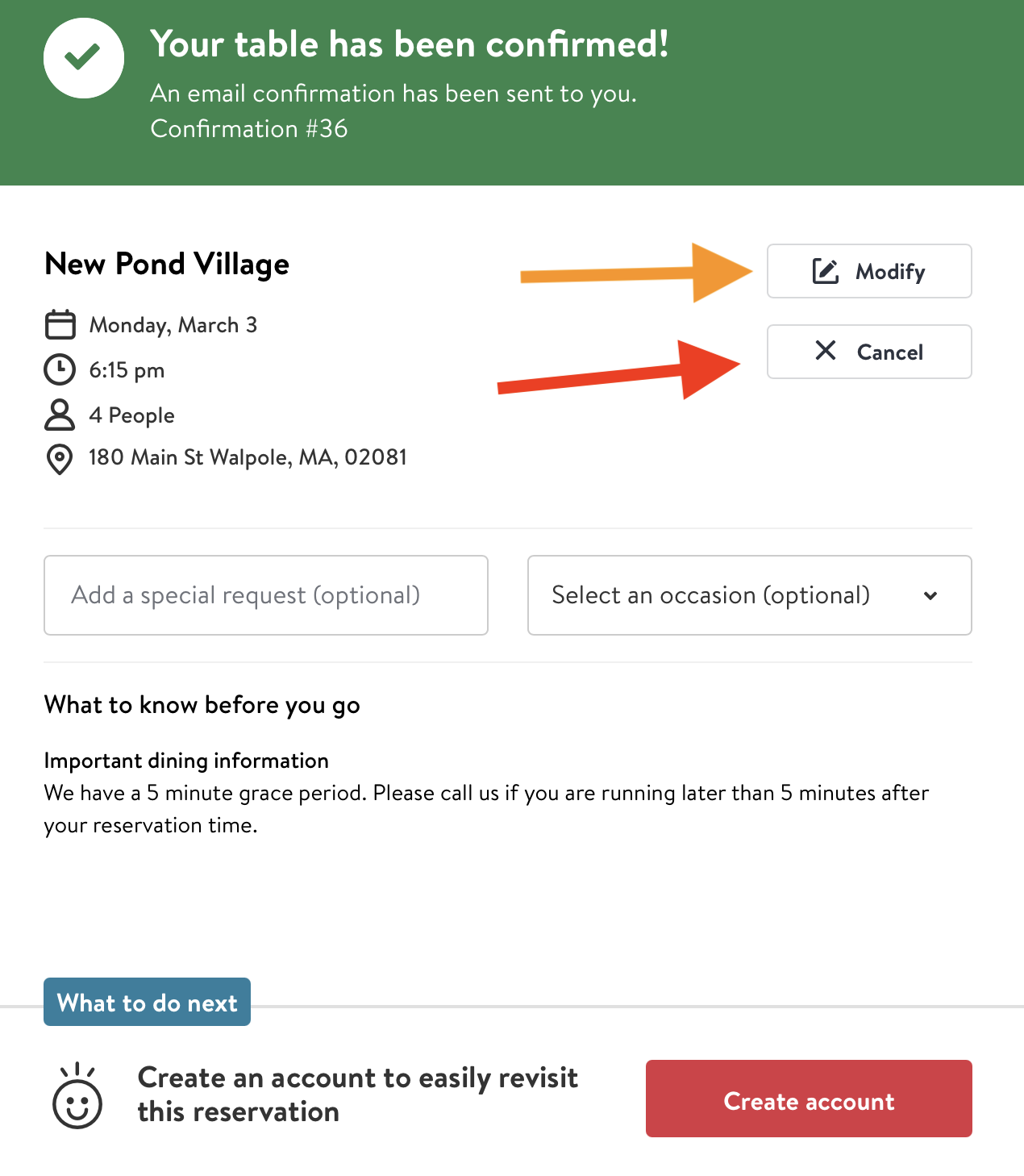
You can also modify or cancel your reservation from here as shown by the arrows in the upper right corner.
Bon Appetit
Pages
- Home
- Open Table
- Open Table Instruction
- What Is A CCRC?
- New Pond Village Amenities
- New Pond Amenities
- Country Store
- More About New Pond Village
- Activities
- Dining
- Menus
- Wellness Information
- Residents Information
- Residents Association
- Association Committees
- Management Information
- Management Committees
- Contact Us